


Policy | Rewrite | Move an Issued Policy to New Dates


Policy | Rewrite | Move an Issued Policy to New Dates
Modular Solutions | Partner Success | Underwriters, underwriting managers and administrators
Purpose
Explain how to move an issued policy to a new term start date with the Rewrite action.
Overview
Rewrite moves an issued policy onto new dates in one step, which is what you need when an event is rescheduled. The policy keeps its number, the term end date moves with the start date, and the policy is reversed and re-issued on the new dates. Before you commit, the screen shows the premium on the old dates and on the new ones, the difference between them, how that difference will be settled and, where the rate has changed, which coverages moved.
Before You Begin
- Your role needs the Policy Rewrite Policy permission, which reads "Can rewrite an issued first-term policy onto new term dates". It sits under Policy in Admin, Permissions, on the permission group. Without it the Rewrite action is not available.
Expected Behaviour
- Rewrite sits in the action list at the right of an issued policy, alongside Change, Cancel, Claim and Renewal.
- It opens a closable tab headed Rewrite Policy followed by the policy number.
- Term Start Date is the only field you set. The term end date, broker code, broker office and billing type are shown but cannot be changed from this screen.
- The screen carries a note reading "Select the new term start date. The policy is reversed and re-issued on the new dates with the same policy number; the premium difference is settled according to the billing type of the policy."
- The Rewrite control cannot be selected until a new start date has been chosen.
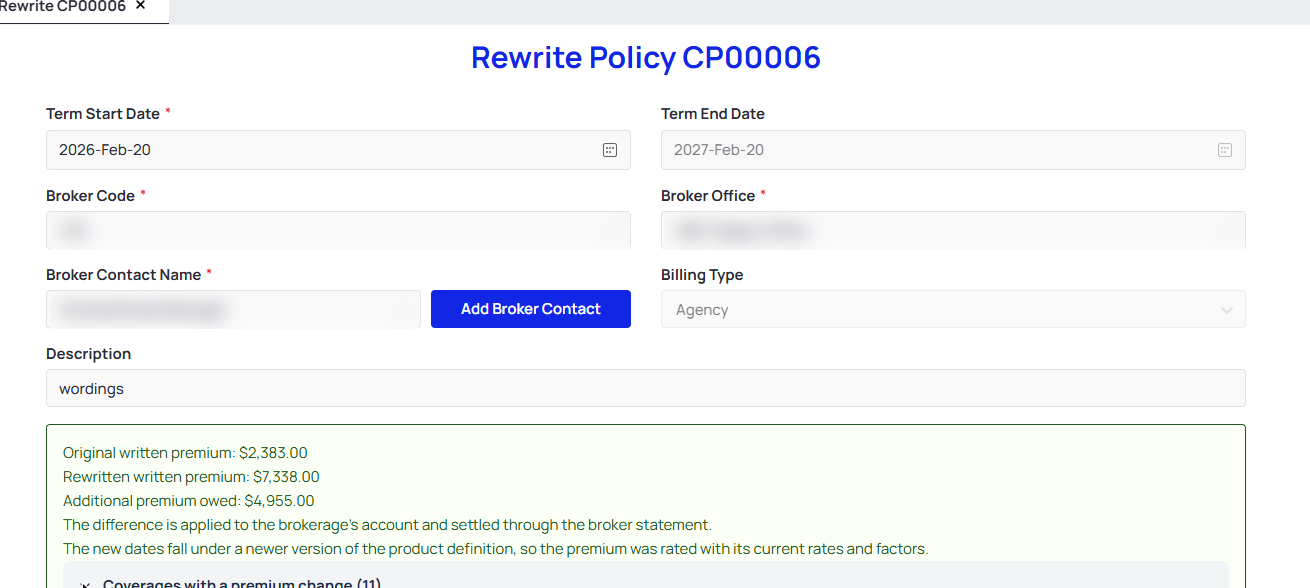
The Rewrite screen after a new term start date has been chosen, with the premium result
What the premium result tells you
- The result gives the original written premium, the rewritten written premium and the difference, headed either as additional premium owed or as a return.
- It states how the difference is settled for that policy. On an agency billed policy it reads "The difference is applied to the brokerage's account and settled through the broker statement."
- Where the new dates fall under a newer version of the product, the result says so and explains that the premium was rated with the current rates and factors.
- Coverages with a premium change can be opened to list each one, giving the risk group, the coverage and the code with its original premium, its rewritten premium and the difference. A coverage that has gone down shows a negative difference.
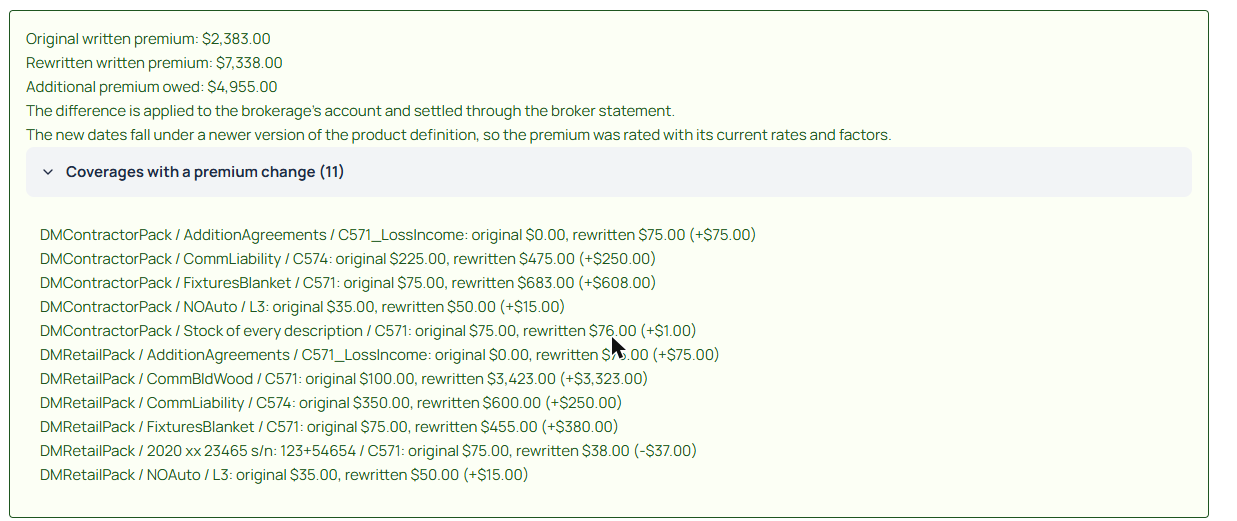
The coverage breakdown, opened from the premium result
After the rewrite
- The policy keeps its number and shows the new term, with the end date moved by the same amount as the start date.
- The premium on the policy is the rewritten premium.
- The payment schedule is rebuilt against the new dates.
- Reverse and Rewrite both remain available on the policy afterwards, so a rewritten policy can be rewritten again.
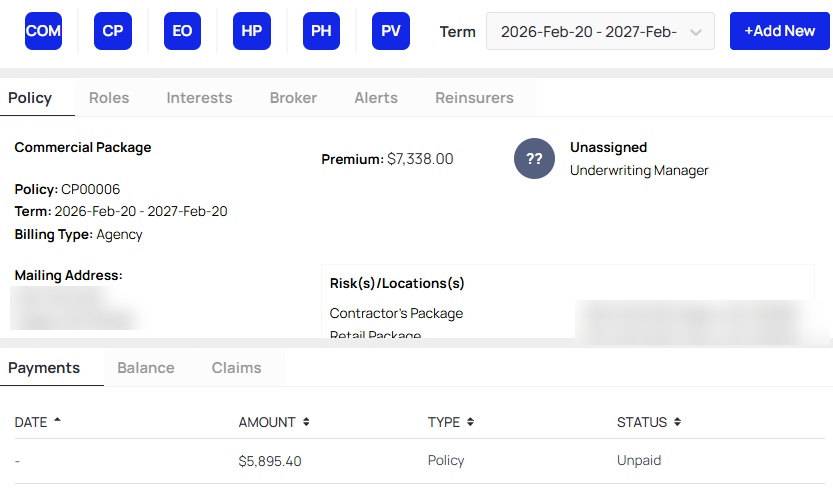
The policy after the rewrite, carrying the same number on the new term
Steps
- Open the issued policy.
- Select Rewrite from the action list at the right of the policy.
- Set the new Term Start Date.
- Read the premium result, and open the coverage breakdown where you need to see which coverages moved.
- Select Rewrite to commit, or Cancel to leave the policy as it is.
- Check the term dates, the premium and the payment schedule on the policy.
Notes and Edge Cases
- Rewrite applies to an issued first term. A policy carrying later transactions, such as a change or a renewal, is not eligible.
- The rewrite reverses the issued version and posts a new one, so a period that reports in and out transactions shows both. Speak to your Partner Success Manager if you need that presented differently.
- Where required questions are unanswered for the new dates, the screen explains why the policy cannot be rewritten rather than committing.
- The permission is not available on broker Gateway groups.
Status
Available. Your role needs the Policy Rewrite Policy permission. Submit a support request if Rewrite is not available on an issued policy.
Version / Sprint Reference
Sprint 26M

