


Product, Admin, Intelligence and Reinsurance | Module Layout | Try the New Layout


Product, Admin, Intelligence and Reinsurance | Module Layout | Try the New Layout
Modular Solutions | Partner Success | All users of the Product, Admin, Intelligence and Reinsurance modules
Purpose
Explain the refreshed module layout and how to move between the new and the classic layout.
Overview
The Product, Admin, Intelligence and Reinsurance modules have a cleaner look. Each one carries its own logo at the top left, a left hand menu in place of the card grid, and a soft background tint in the module colour. A banner at the top of the module invites you to try it, and you can move back to the classic layout at any time. Everything works as it did before.

The banner at the top of a module in the classic layout
Expected Behaviour
- A banner reading "Try the new layout for this module. Click here to switch." sits at the top of the module while the classic layout is in use. Selecting it moves that module to the new layout. A cross at its right closes the banner without switching.
- In the new layout the module carries its own logo at the top left, and the background and menu take a soft tint in the module colour.
- The left hand menu replaces the card grid of the classic layout and lists the module's screens directly.
- Use the classic layout sits at the foot of the menu, with Collapse navigation below it. Selecting Use the classic layout returns that module to the card grid and brings the banner back.
- The logo at the top left still opens the module list, so you can move between modules as before.
- The choice is held per module and stays in place as you move around and come back. Once a module is in the new layout its banner no longer shows.
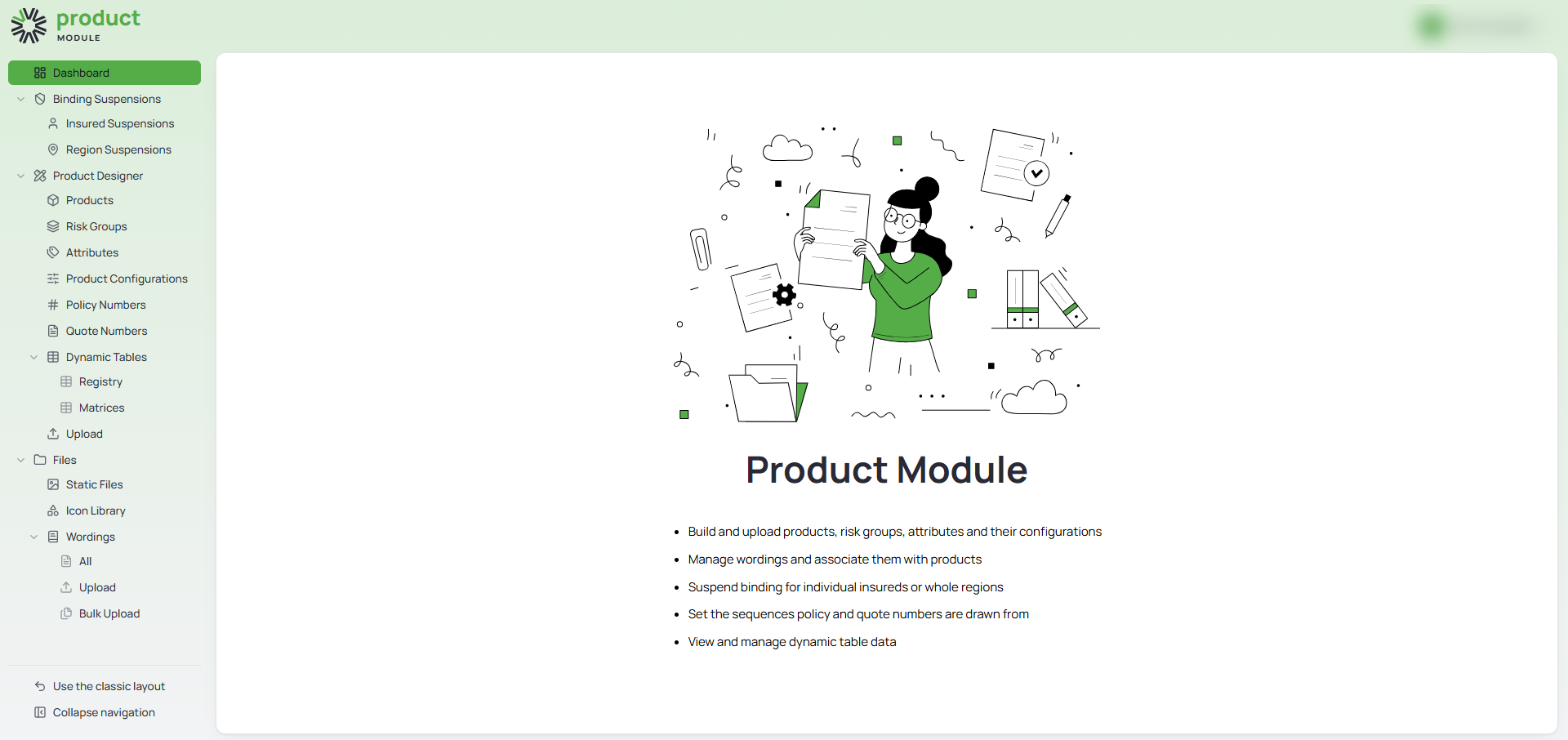
A module in the new layout, with its logo, tinted menu, and the two controls at the foot of the menu
Admin
- Admin opens on Permission Groups and Employee Setup, reached from the left hand menu.
- Screens that open on a Coming Soon page in the classic layout are not carried into the new menu.
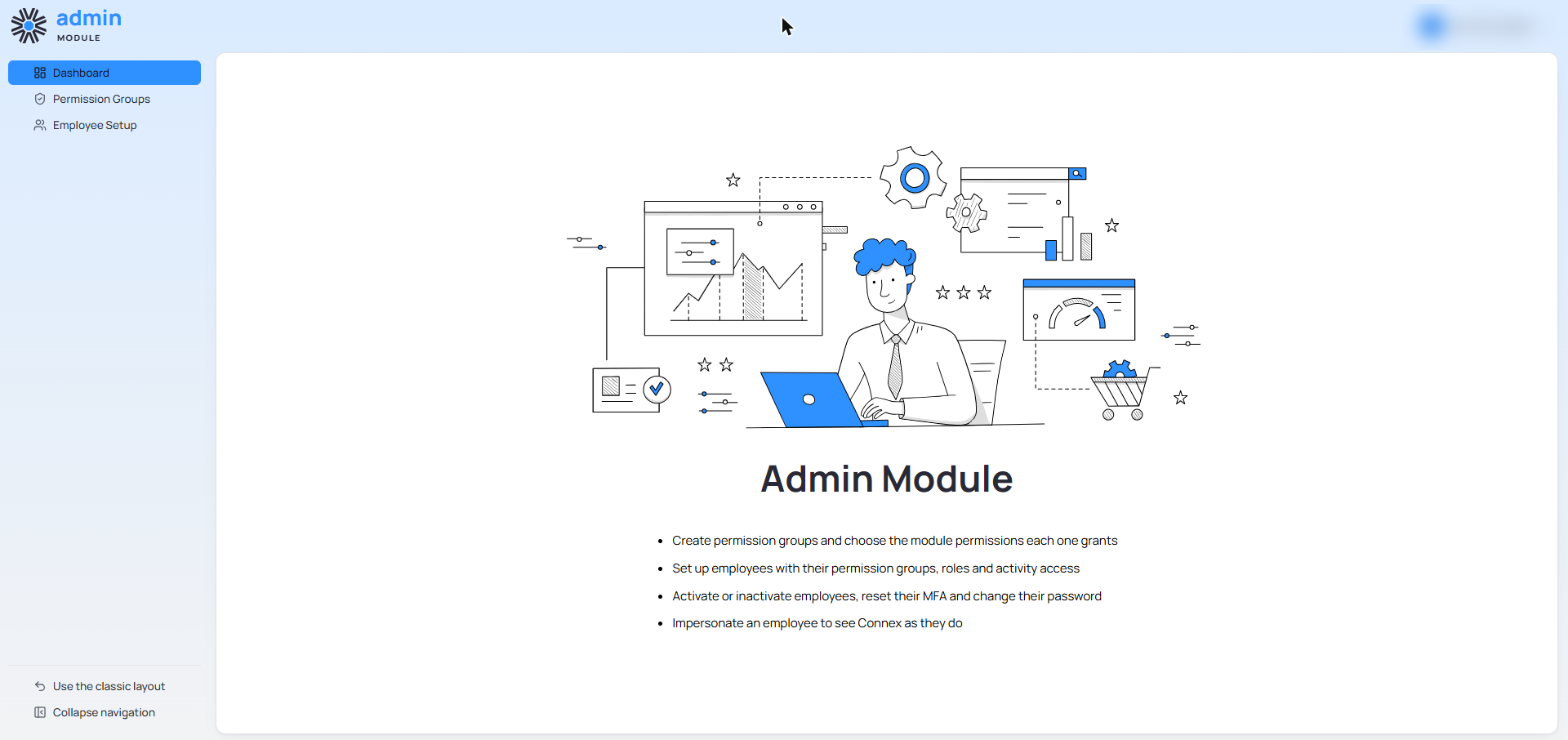
The Admin module in the new layout
Intelligence and Reinsurance
- Intelligence lists its report areas directly in the menu rather than as cards.
- Reinsurance carries the banner and the new layout as well, ahead of the work planned for that module.
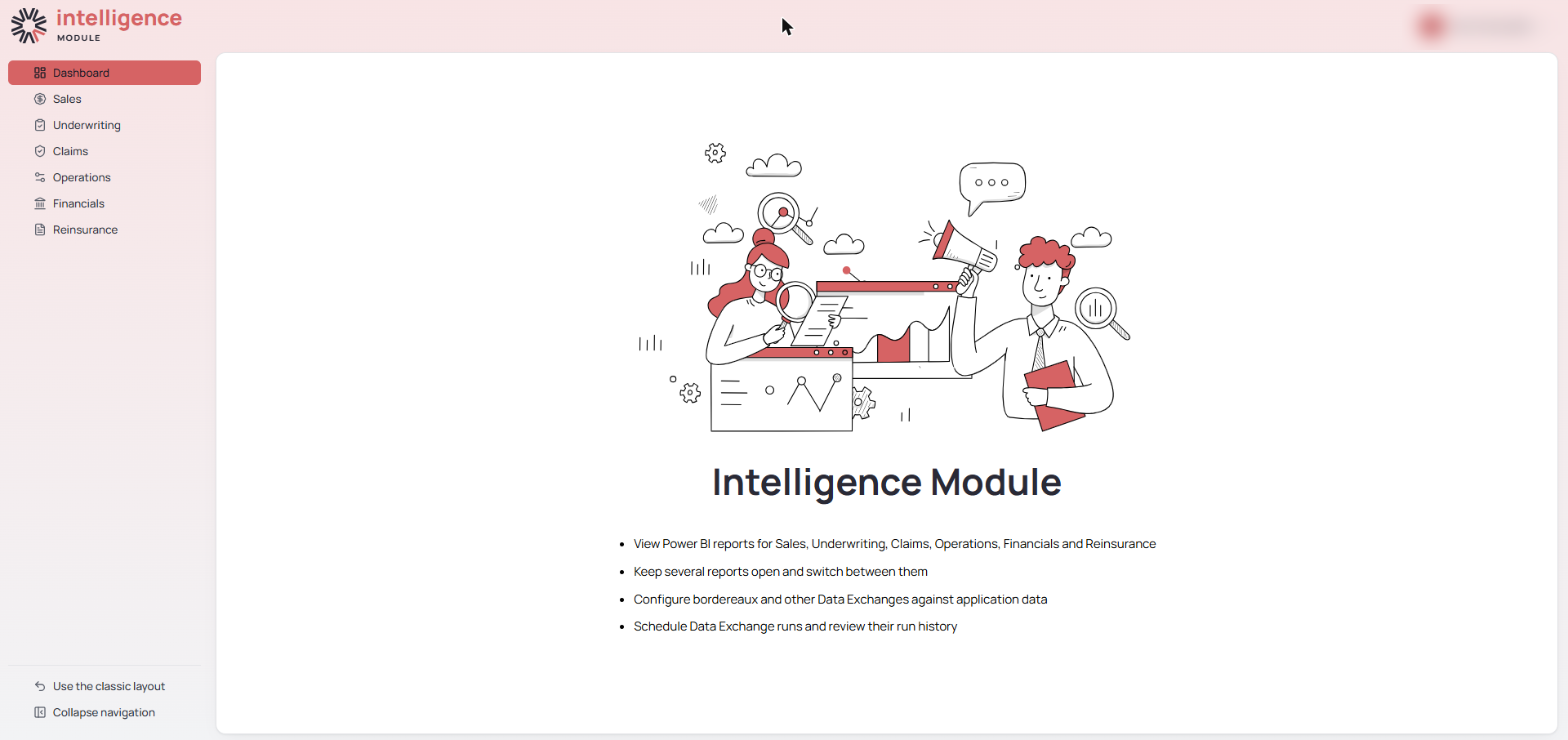
The Intelligence module in the new layout
Steps
- Open the Product, Admin, Intelligence or Reinsurance module.
- Select the banner at the top of the module to switch to the new layout.
- To go back, select Use the classic layout at the foot of the left hand menu.
Notes and Edge Cases
- The classic layout is to be withdrawn in a future release.
- The switch applies to one module at a time. Switching Product does not switch Admin, Intelligence or Reinsurance.
- Closing the banner with the cross leaves the module in the classic layout. Reopen the module to bring the banner back.
Status
Preview.
Version / Sprint Reference
Sprint 26M

