




 44
44

When trying to retrieve in-force policies using the Underwriting report, here are a few important points to keep in mind:
-
No Dedicated In-Force Slicer
The Underwriting report doesn’t include a specific slicer to filter only in-force policies. While you can exclude flat cancellations, mid-term cancellations may still appear if they fall within the selected Accounting Date and Term Start Date ranges. -
Understanding Date Slicer Interaction
The Accounting Date and Term Start Date slicers work together as an AND condition—meaning both filters must be met for a policy to appear.
To focus solely on policies based on their Term Start Date (and avoid exclusions due to the Accounting Date), you can expand the Accounting Date filter to cover its full range. This ensures you're capturing all relevant policies from the selected Term Start Date range.
Example:
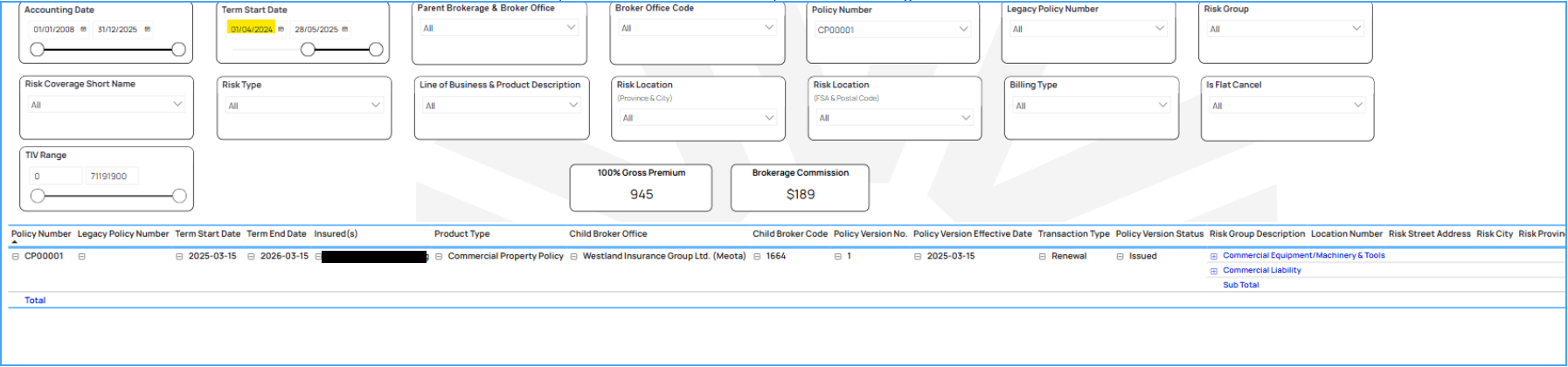
- Policy CP00001 has two terms- 2024-03-15 and 2025-03-15

- When the StartDate filter is set to after 2024-04-01, the 2024 term is excluded and only the 2025 term is shown. At this point, the Accounting Date filter is widened.
- However, if one narrows the Accounting Date to after 2025-03-15, the 2025 term may get excluded. as it's renewal transaction is accounted on 2025-03-15
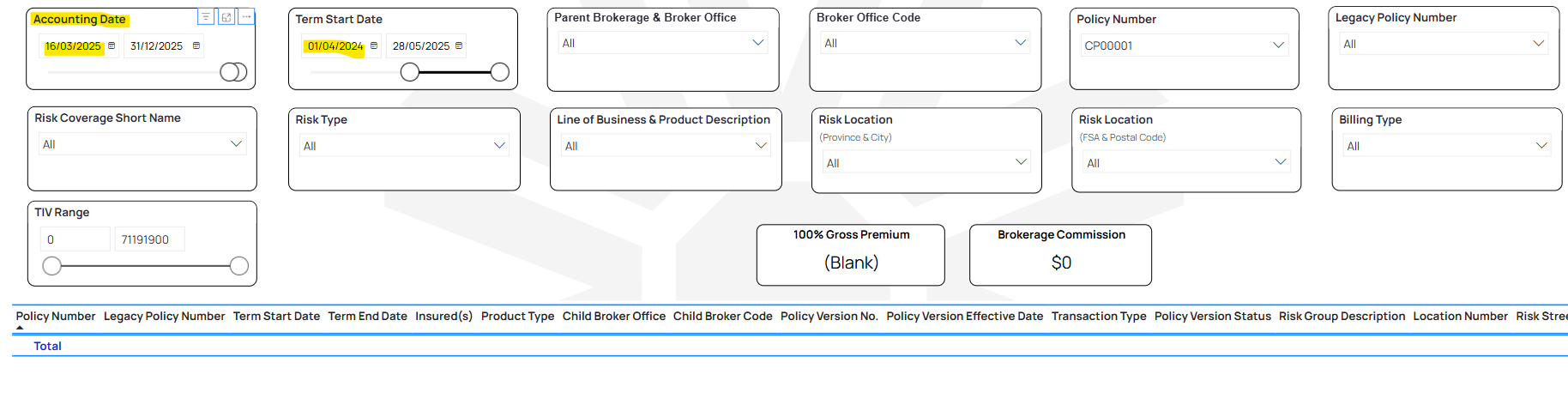
***So even if a policy is in-force, setting both date filters too restrictively may unintentionally remove a policy from the results.***
These tips can help refine your search and return a more accurate view of in-force policies.

